


Find ecommerce leads that fit your ICP
BootLeads is an ecommerce leads database of 7,468,863 active stores on Shopify, WooCommerce, Wix and more. Narrow them with 30+ filters, check any store in one click, then export the list or send it to your outreach tool.
No credit card required.
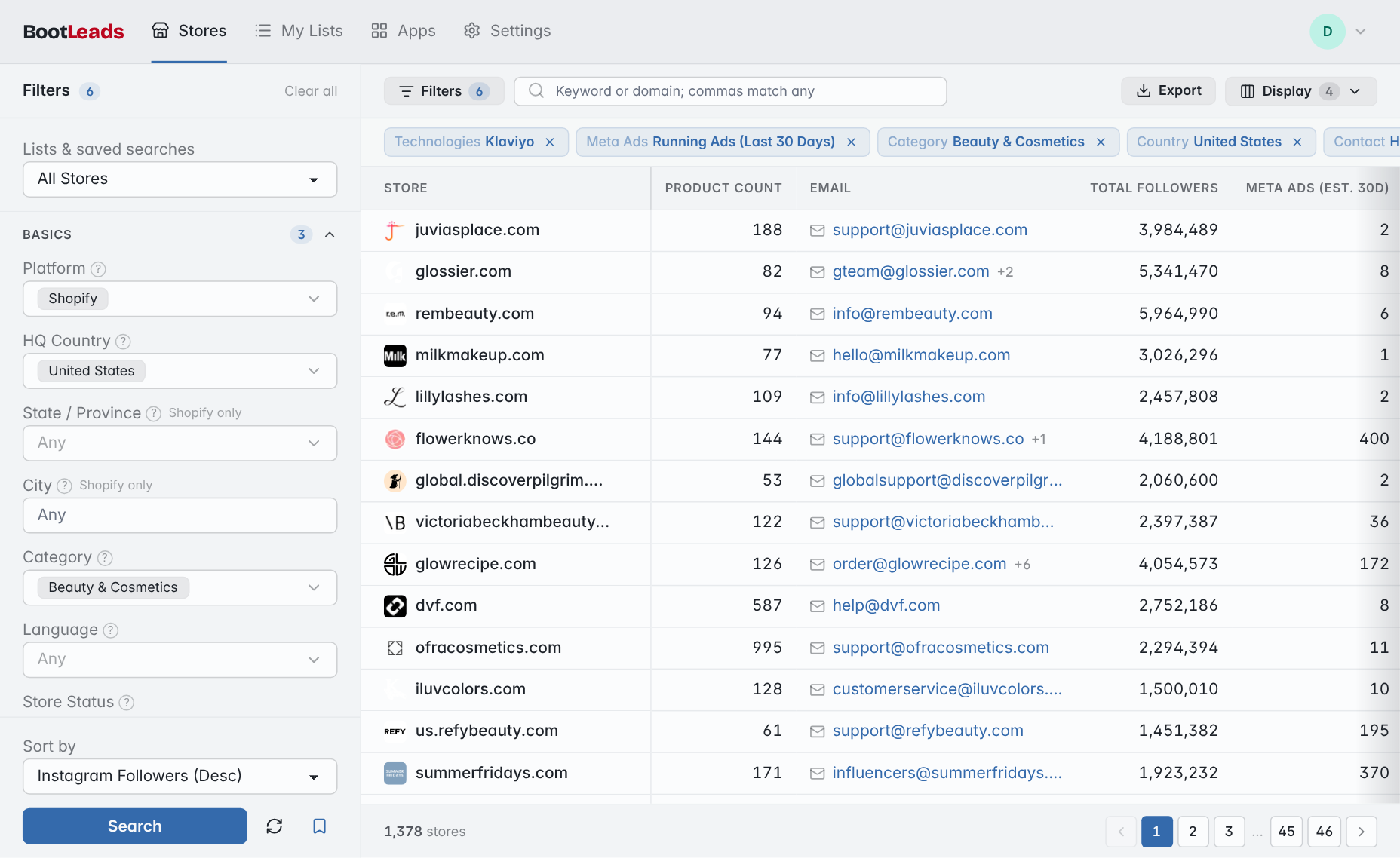
Example search: US Shopify beauty brands running Meta ads, using Klaviyo and listing a business email, sorted by Instagram followers.
308,091
new stores added in the past 7 days
7,468,863
active stores tracked
38,069
ecommerce apps indexed
Platforms we cover
One search covers all six. Open a platform to see its store report, or compare what data each platform provides.





Store data you can filter and export
How many stores have each kind of data today. Every row below is also a filter and an export column. See all 61 fields and their coverage.
Social profiles
Advertising
Technology
Narrow the list with 30+ filters
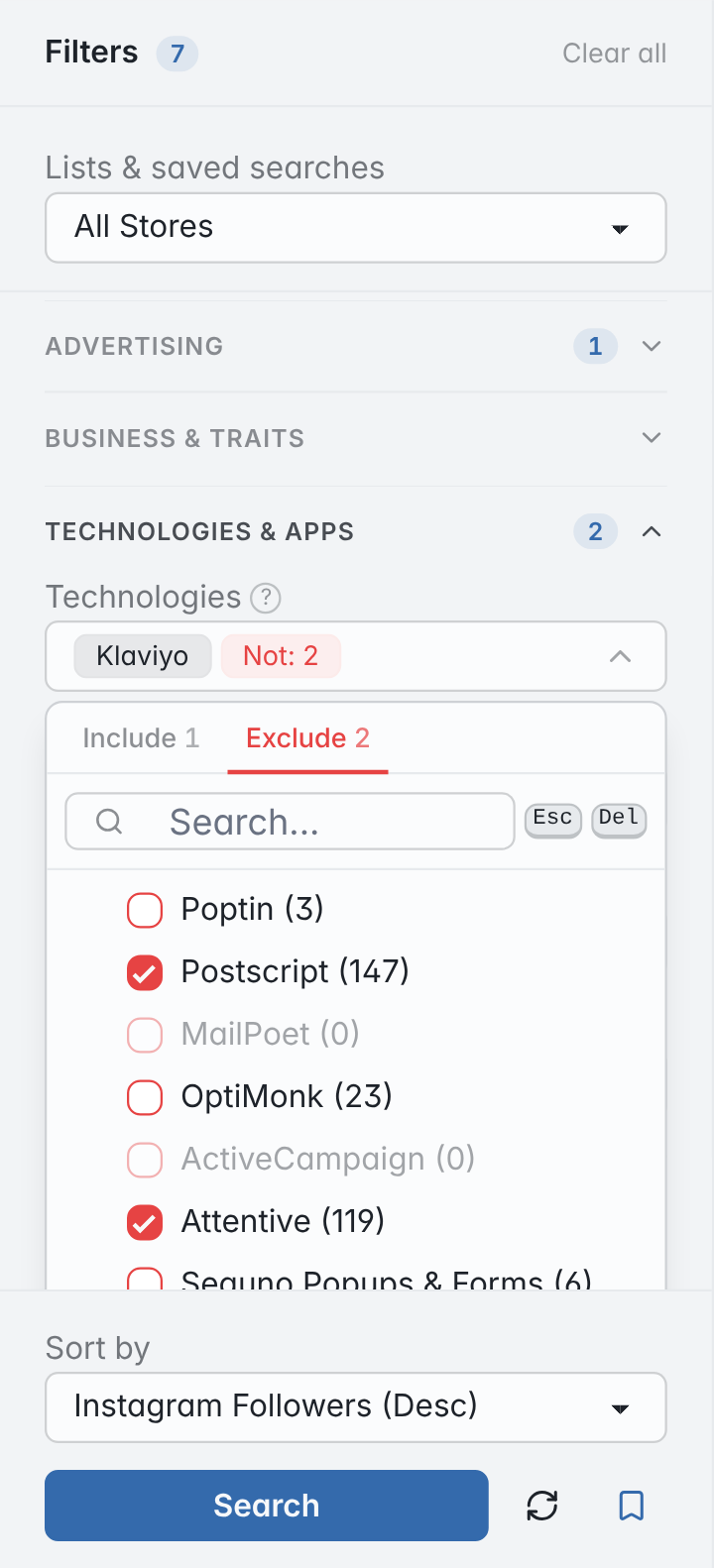
Here is the search from the top of the page, one filter at a time. Many filters can also exclude: the last step drops stores that already use Postscript or Attentive for SMS.
- All searchable stores 7,468,863
- Platform: Shopify 3,114,209
- HQ Country: United States 1,179,491
- Category: Beauty & Cosmetics 90,300
- Contact Info: Has Email 24,645
- Meta Ads: Running Ads (Last 30 Days) 3,203
- Technologies: Klaviyo 1,955
- Technologies: Exclude Postscript, Attentive 1,712
- A short list to review and export Run a search like this for free 1,712 stores
Filters sit in seven groups: Basics, Products, Contact & social, Advertising, Business & traits, Technologies & apps and Domain. Save a search and new stores that match it show up in My Lists and in a daily or weekly email. See all 35 filters and what they match.
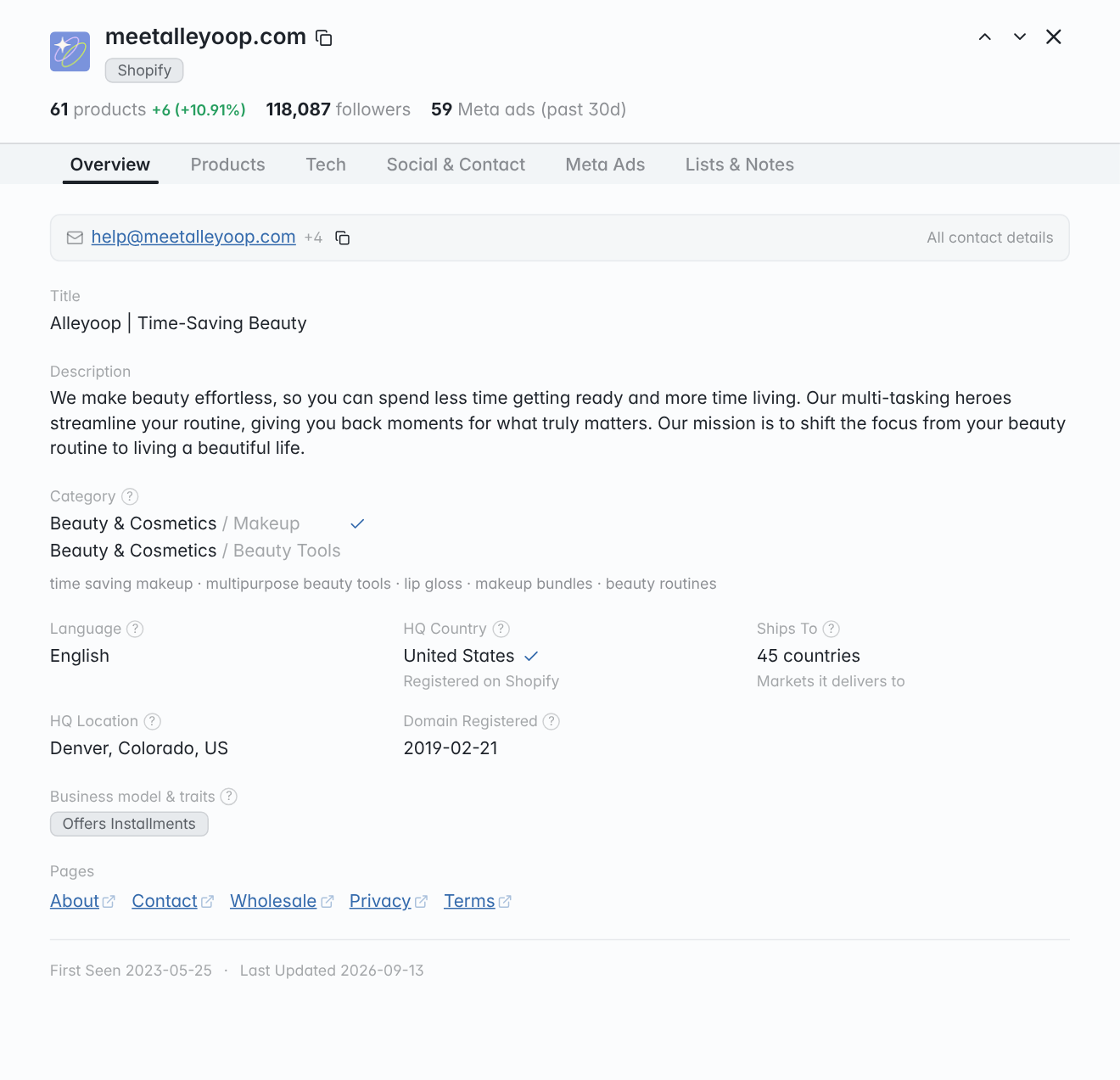
Check any store before you reach out
Open any store to see all 61 fields, one tab per topic. Step through results with the arrow keys, add a store's country, category or apps to your filters in one click, and save stores to lists with notes.
What we can collect varies by platform.
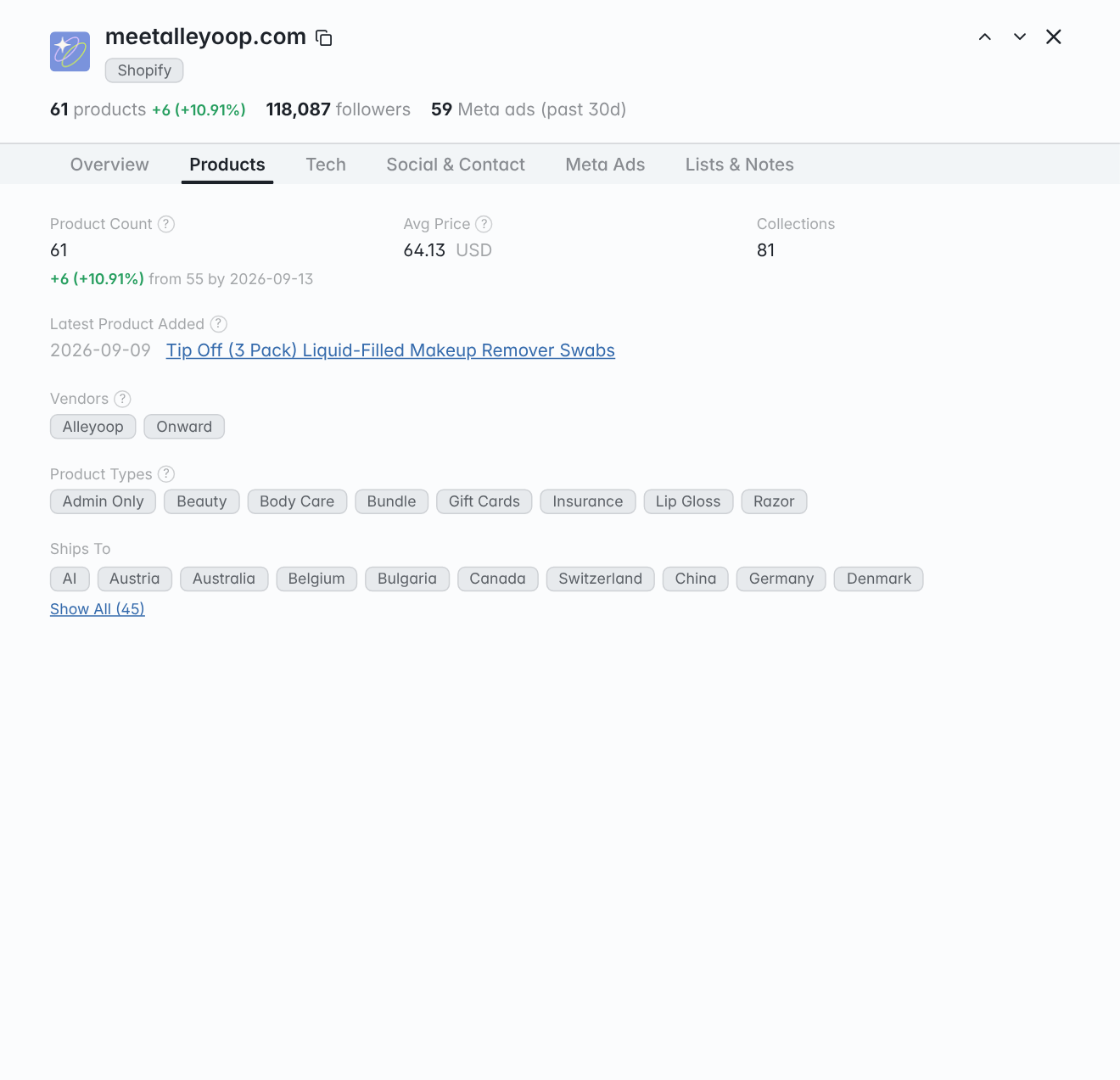
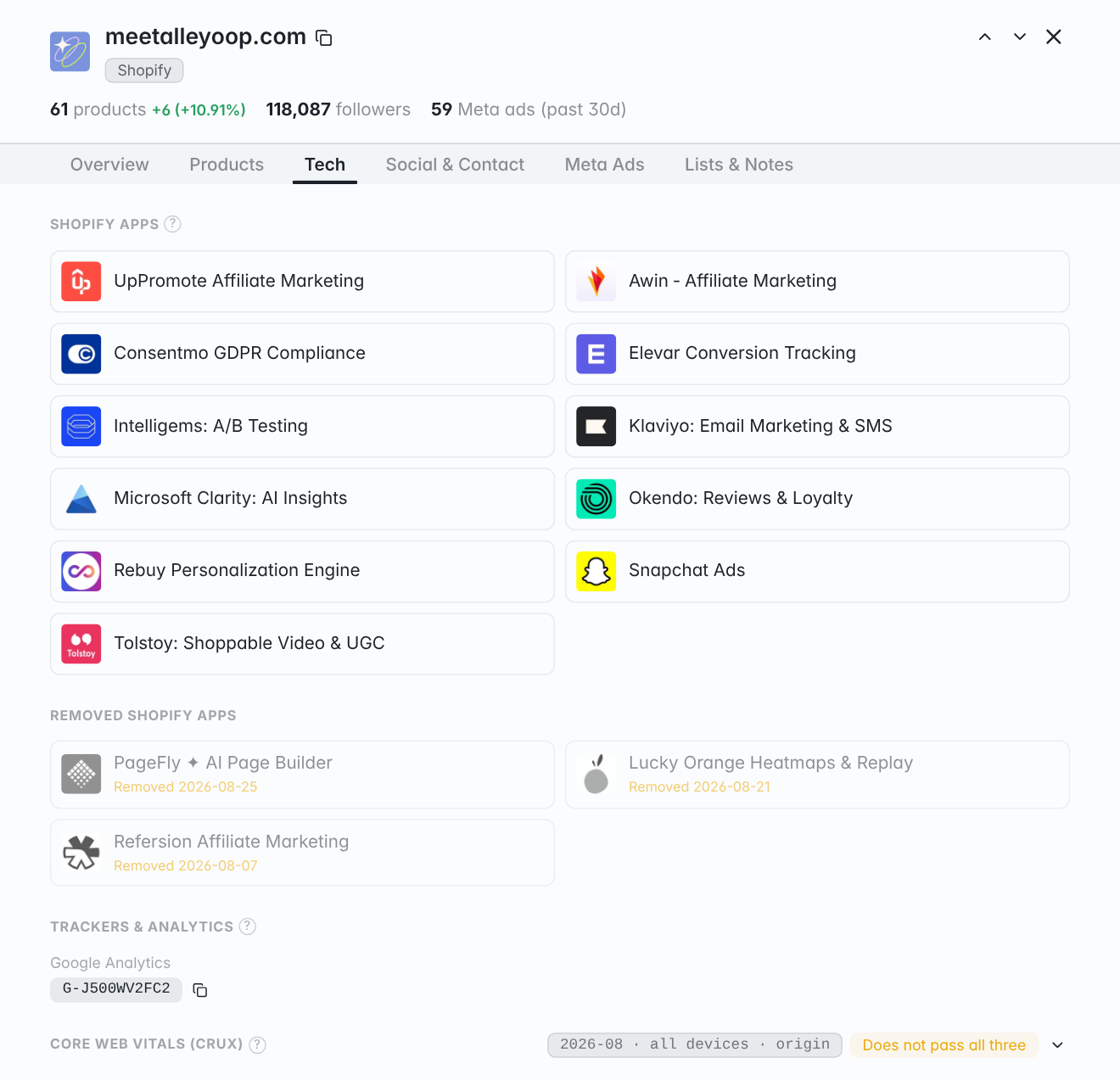
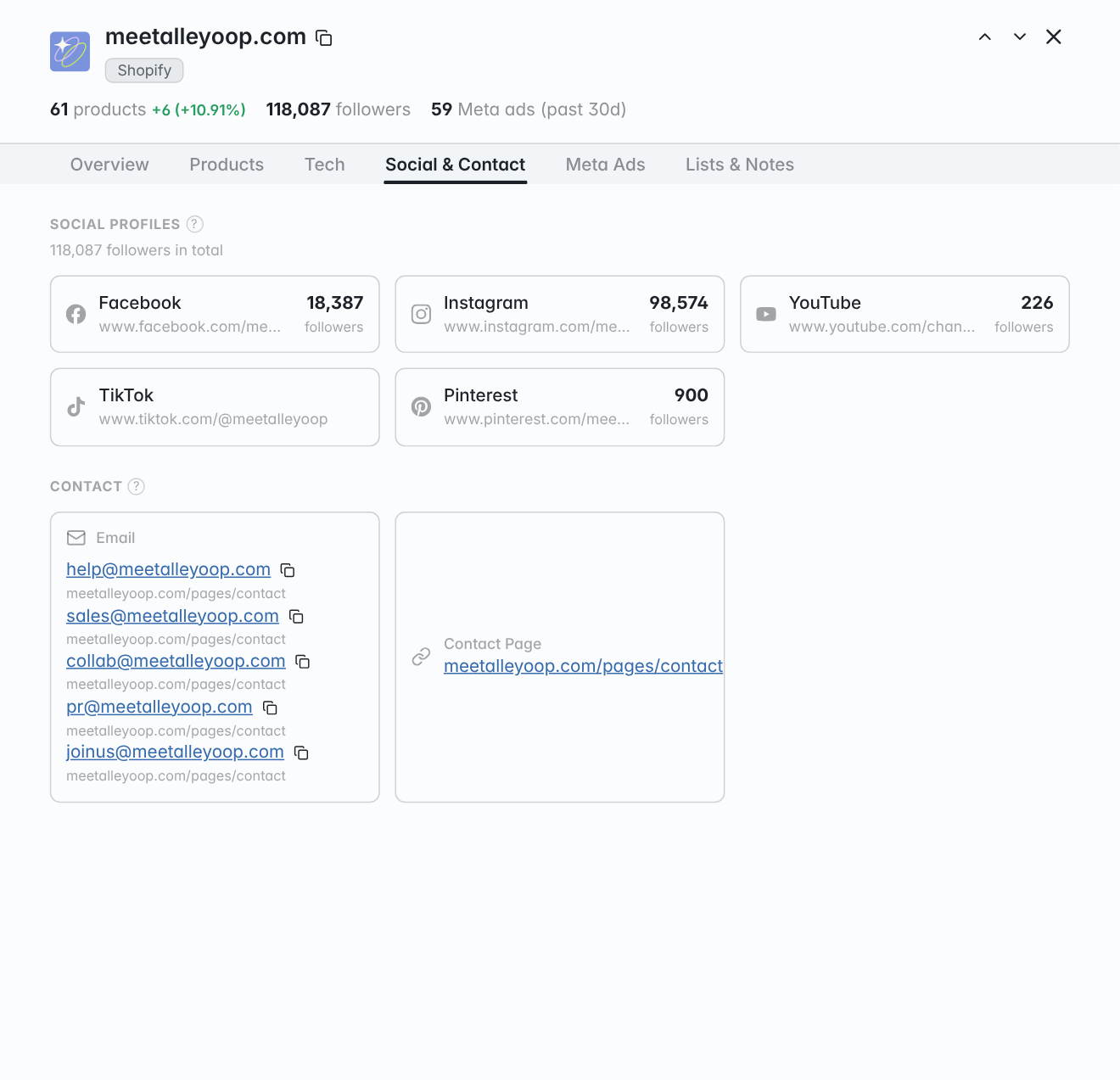
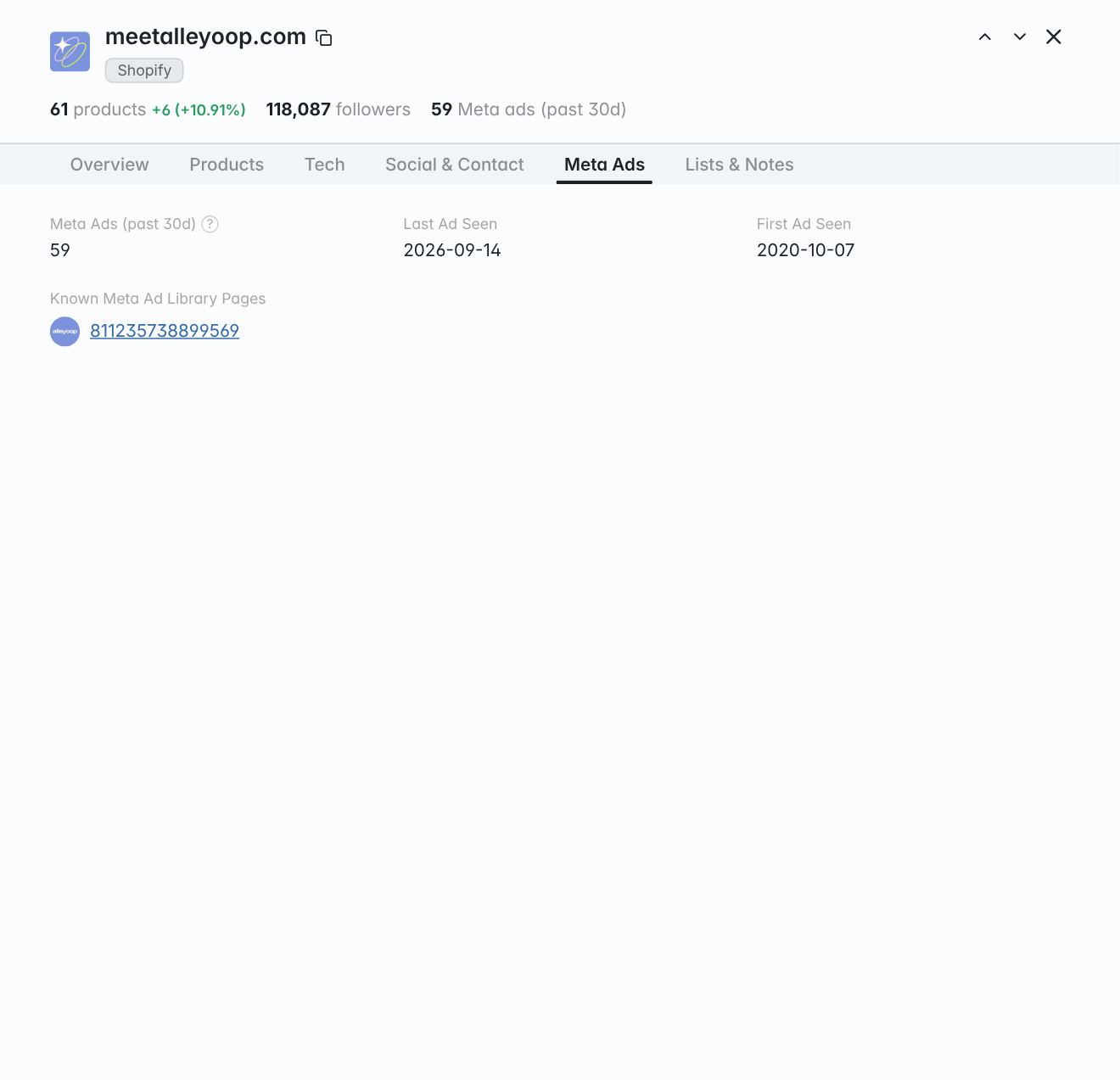
Check stores from your browser
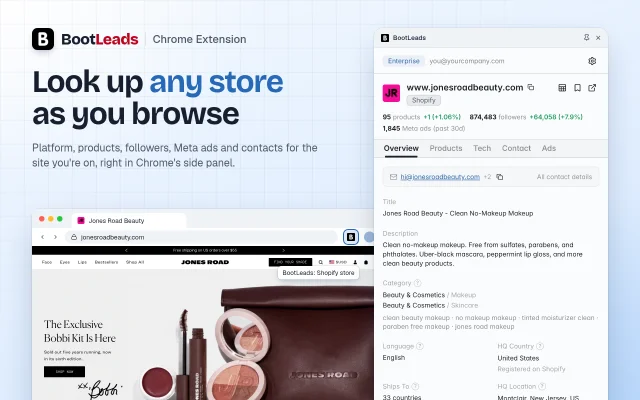
The BootLeads Chrome extension opens the same store profile in Chrome's side panel for the site you're on. Its icon lights up on stores we track, and Live Scan checks sites that aren't in BootLeads yet.
Free to install. Works in desktop Chrome.
Working in Claude, ChatGPT or Cursor? Add BootLeads as an MCP server and ask for stores in plain language. Connect your AI app
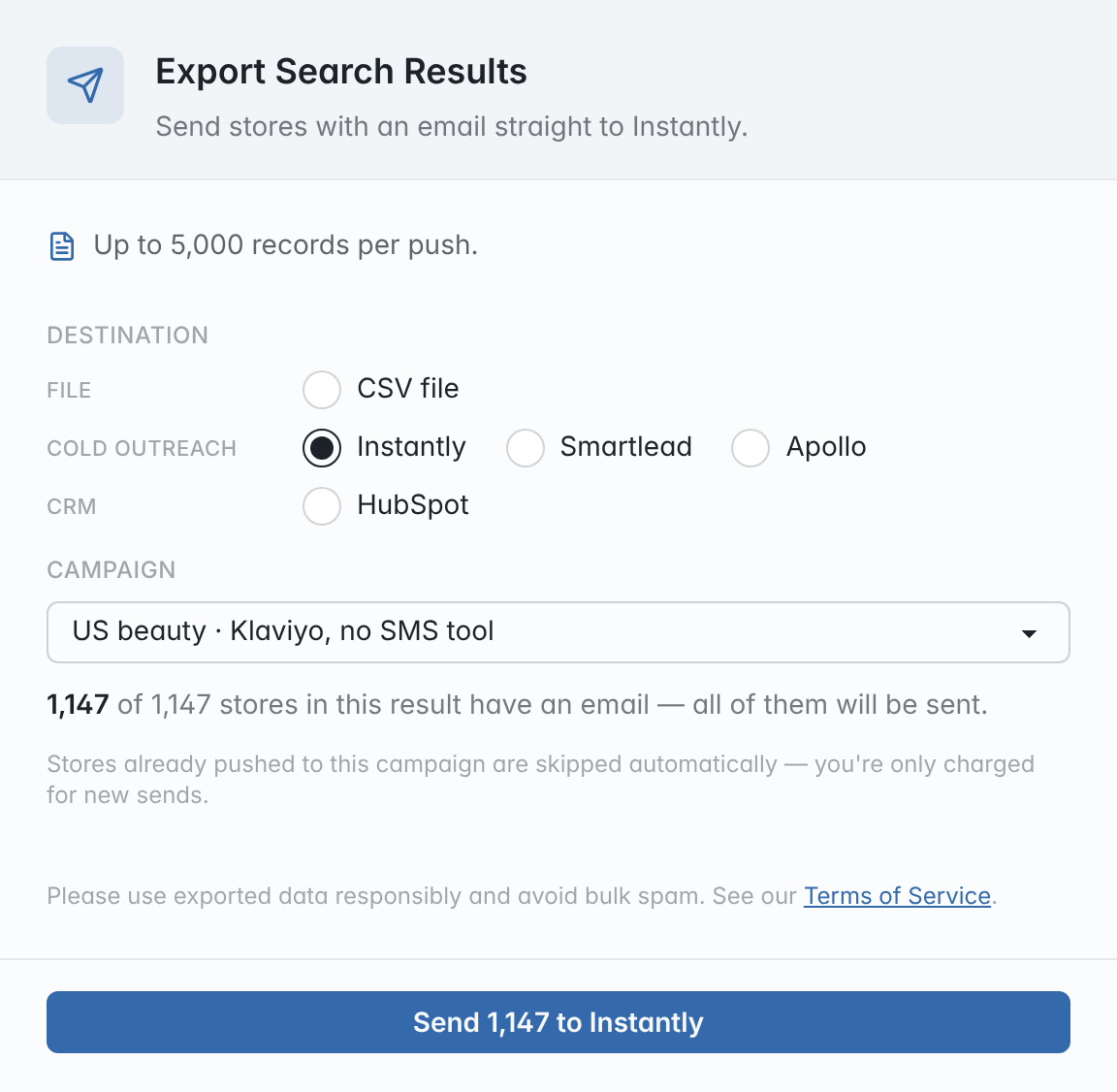
Send the list to your outreach tool
Push stores that list a business email to Instantly, Smartlead, Apollo or HubSpot, or download a CSV laid out for HubSpot, Salesforce or Outreach imports.
 HubSpot
- You see how many stores in the result have an email before anything is sent.
- Pick an Instantly or Smartlead campaign, an Apollo label or a HubSpot list. Stores already pushed there are skipped and not charged.
- Company name, website, phone, platform, country and product count go along with each lead as campaign variables.
- Prefer a file? Export up to 50,000 rows to CSV with only the fields you pick.
Pushing comes with Pro and Enterprise, CSV export with every paid plan. See pricing
Who uses BootLeads
Cold email outreach
Build a list of stores with a business email, check the best matches, and push them straight into a campaign.
Marketing agencies
Find stores with the gap your service fills, like failing Core Web Vitals, no email tool or no ads running, and see who to contact.
App developers
Find stores running a competing app or ones that just removed it, then narrow them by plan, catalog size and market.
Suppliers and wholesalers
Find stores in the categories you supply and narrow them by catalog size, price point and the markets they ship to.
Pricing
Starter
For individual prospecting
$79/ mo
Billed monthly, cancel anytime
$79$65.83/ mo
Billed as $790 / year
200
searches / mo
20K
CSV records / mo
- API access
- Team seats
- Push to Instantly, Smartlead, Apollo & HubSpot
- 30+ filters, include or exclude
- New stores added daily
- Saved search alerts
Pro
For ongoing outbound
$149/ mo
Billed monthly, cancel anytime
$149$124.17/ mo
Billed as $1,490 / year
Unlimited
searches / mo
200K
CSV records / mo
- API access
- Team seats
- Push to Instantly, Smartlead, Apollo & HubSpot
- 30+ filters, include or exclude
- New stores added daily
- Saved search alerts
Enterprise
For teams and API workflows
$299/ mo
Billed monthly, cancel anytime
$299$249.17/ mo
Billed as $2,990 / year
Unlimited
searches / mo
3M
CSV records / mo
- API access 50,000 rows/day
- 3 team seats (you + 2)
- Push to Instantly, Smartlead, Apollo & HubSpot
- 30+ filters, include or exclude
- New stores added daily
- Saved search alerts
Frequently asked questions
Over the past 7 full days, we added 308,091 new stores in total, or about 44,013 per day on average. Our crawlers keep finding and indexing new ecommerce stores on every platform we support.
New stores are added every day and Meta ad activity syncs twice a day. Each store's homepage, catalog, installed apps, and technologies are re-crawled about every two weeks, and Core Web Vitals follow the monthly CrUX release.
See how fresh the data is today.
Yes. Save a search and new stores that match it are flagged in My Lists and sent to you in a daily or weekly email. You can change the frequency or turn the email off in Settings.
We crawl publicly available pages of online stores, much like a search engine does, and extract the store data from them. We do not buy data from third parties.
See where each field comes from and what each platform provides.
You can request removal through our removal form.
Go to your account page and click “Cancel”. Your access continues until the end of the billing period.
Email us at help@bootleads.com. We typically respond within 48 hours.