


Find ecommerce leads for cold email outreach
Build a list of online stores by platform, market, tech stack, catalog, ads and contact details. Review the matches, then export them to CSV or send the ones with an email straight to your outreach tool.
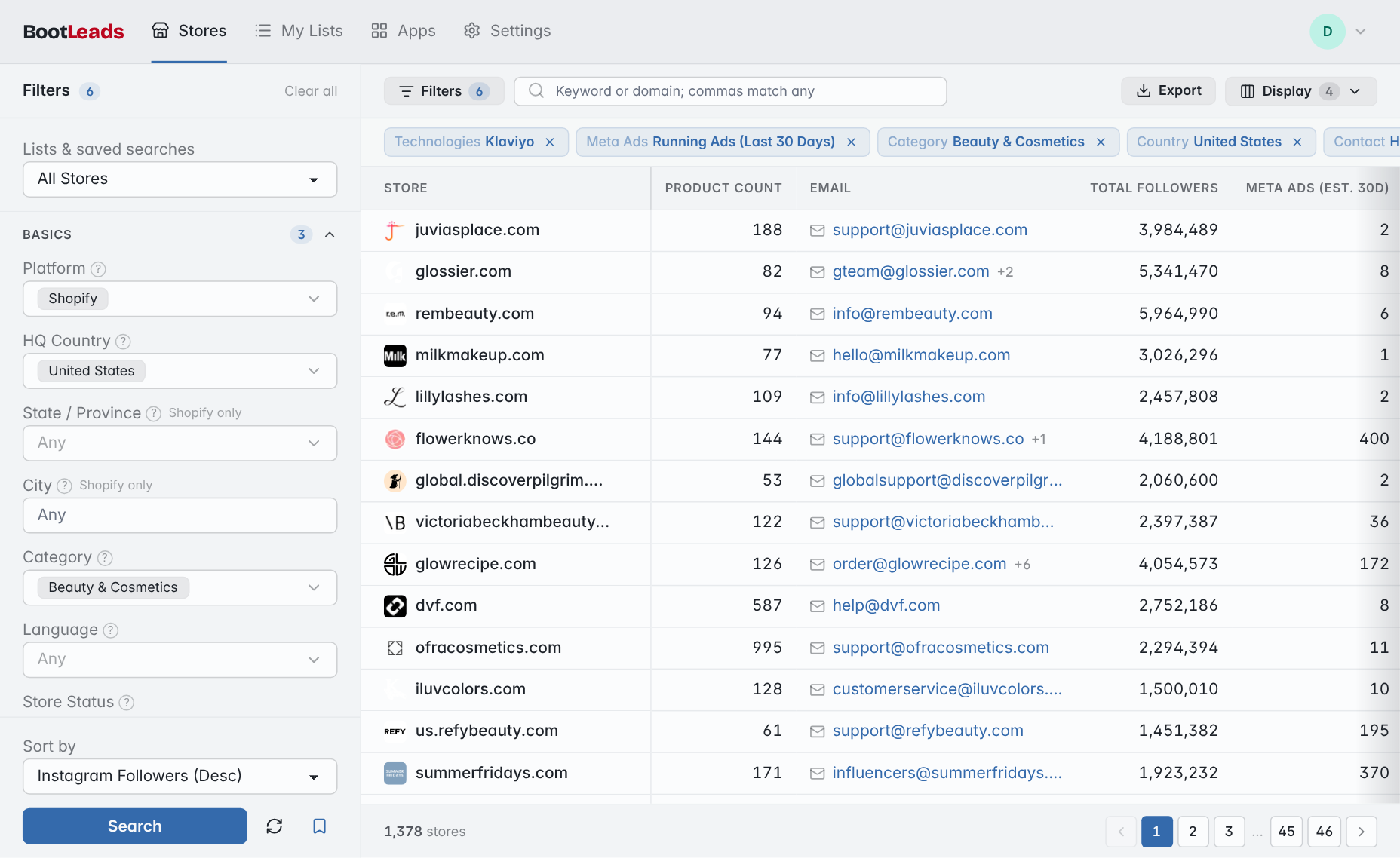
Example: a home and garden campaign
Each filter narrows today's database, from millions of stores to a list you can actually review. Click a filter name to see what it matches.
- All searchable stores 7,191,086
- Platform: Shopify 3,109,227
- HQ Country: United States 1,173,289
- Category: Home & Garden 101,110
- Product Count: 100+ 37,768
- Meta Ads: Running Ads (Last 30 Days) 2,621
- Contact Info: Has Email 1,479
- A short list to review and export Run a search like this for free 1,479 stores
Build the list around a reason to reach out
Good lists start with stores your offer can help. Narrow the market, check the promising stores and keep each list tied to one campaign.
-
1
Define the account
Choose the platform, country, category and catalog size your offer fits.
-
2
Add campaign context
Narrow by installed apps, recent products, Meta ads, social presence or price.
-
3
Check each store
Keep stores with a business email, open them and confirm they still fit.
-
4
Send or export
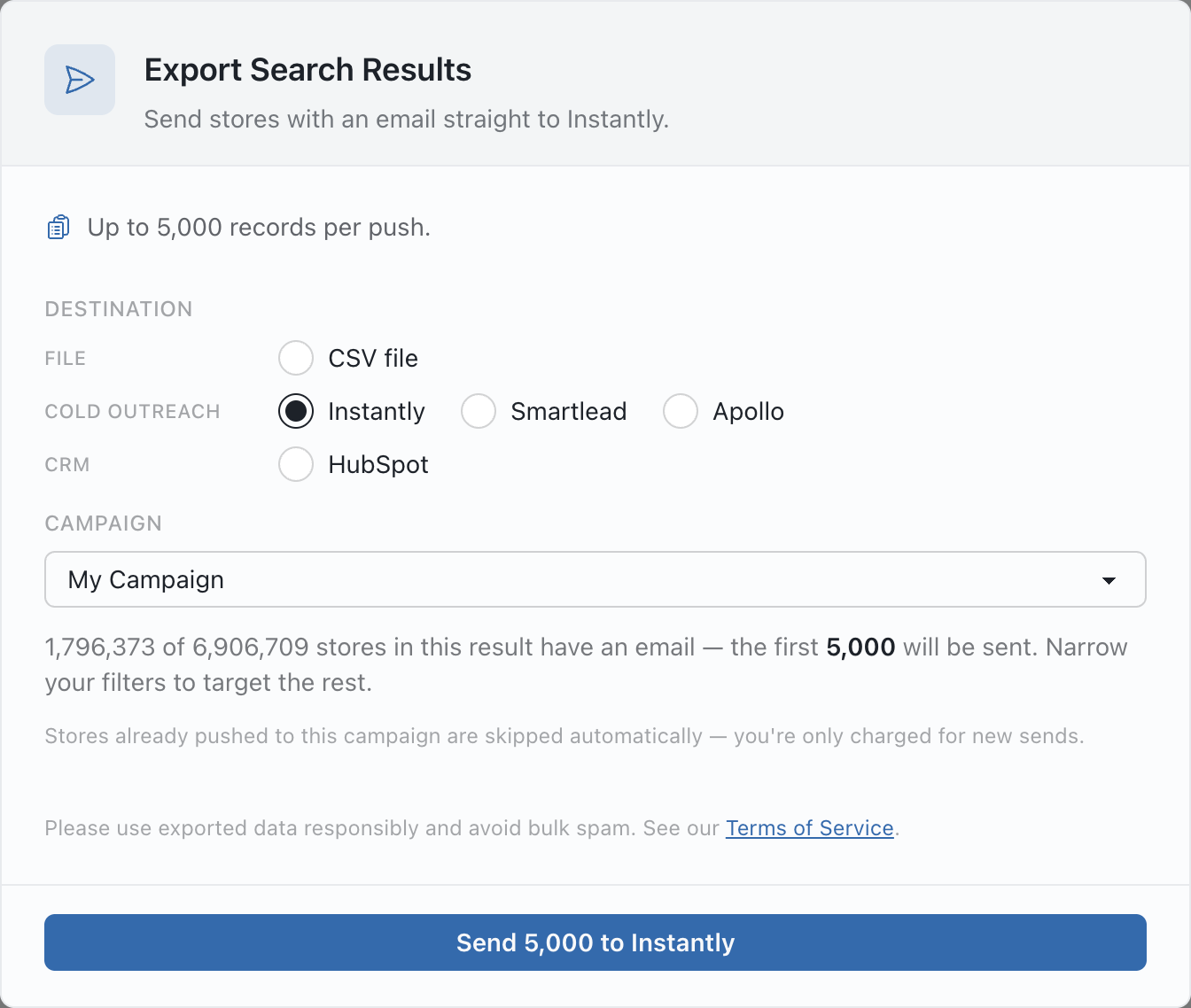
Export the list to CSV, or send it to Instantly, Smartlead or Apollo.
Send the list without rebuilding it
The export panel keeps your filters and shows how many stores in the result have an email. Choose a destination and a campaign or label, then send up to 5,000 stores at a time. Stores already sent to the same campaign or label are skipped.
Sequences, sending accounts, schedules and replies stay in the outreach tool your team already uses.
Questions about ecommerce lead lists
What can I use to target ecommerce leads?
Platform, country, category, product count, price, installed apps and recent app changes, Meta ads, social presence and contact details. Some fields are only available on some platforms. See every search filter.
Does every store include an email?
No. Add the Has Email filter when the campaign needs one. The export panel shows how many stores in the result have a business email before you send or export.
Can BootLeads send the emails for me?
No. BootLeads finds, filters and transfers the stores. You write the message and manage sending accounts, schedules and replies in Instantly, Smartlead, Apollo or the tool you import the CSV into.
Which plans include the outreach integrations?
Direct connections to Instantly, Smartlead and Apollo need an active Pro or Enterprise plan. CSV samples let you check the data before upgrading.
Is a matching store ready to buy?
Not necessarily. A match is a reason to look closer. Confirm the store is relevant, contact the right business and follow the rules for your market and sending tool.
Keep exploring
Build a cold email list around a real market
Start with the stores your offer fits, add one useful signal, review the stores and send only the relevant ones.