


Ecommerce leads for marketing agencies
Build prospect lists of online stores for SEO, CRO, paid media, development or email marketing. Filter for the problems your service solves, then review and export the stores worth contacting.
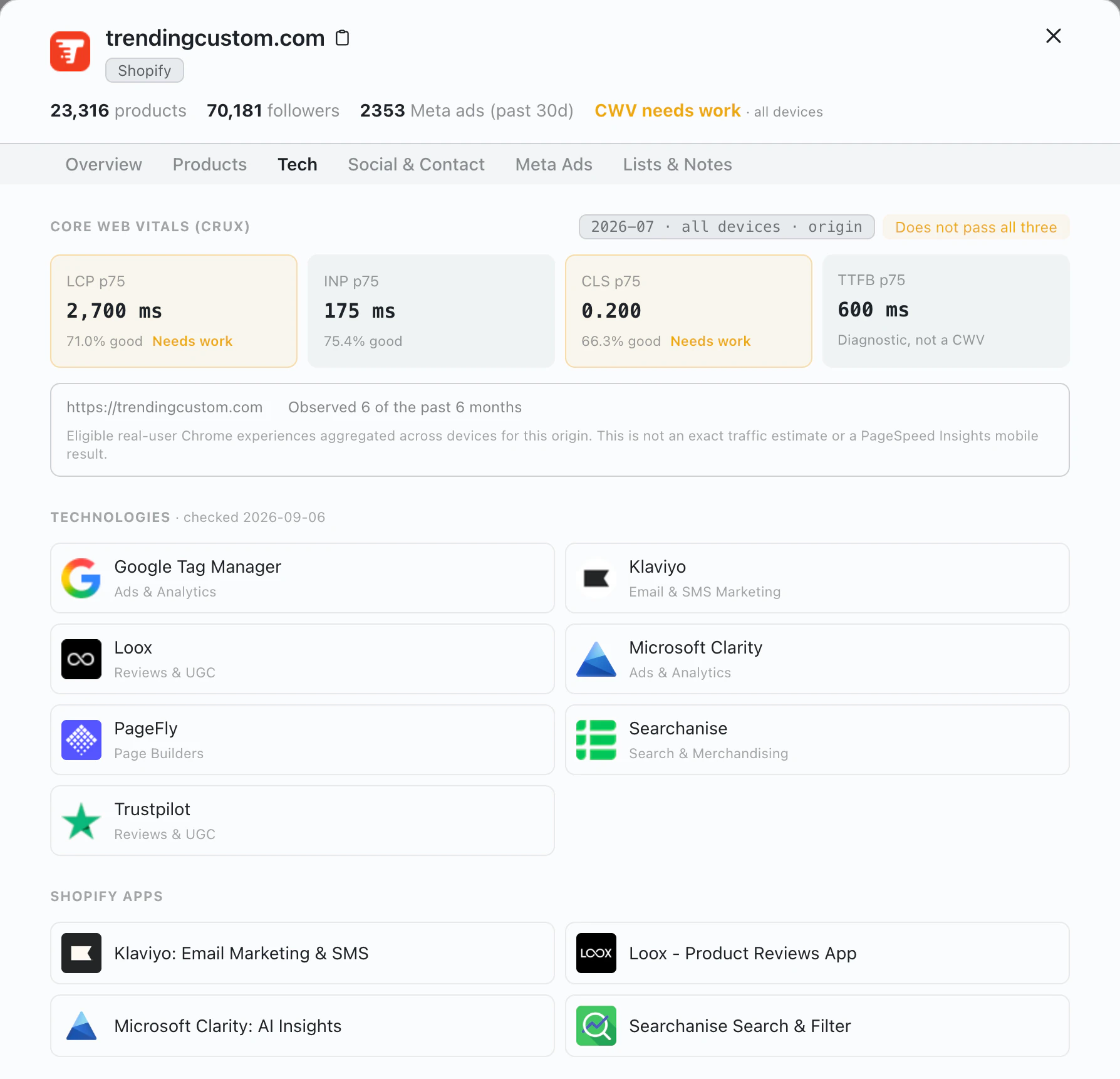
-
1
Core Web Vitals
Stores that fail are flagged in the header, and the Tech tab shows which metric needs work.
-
2
Technologies
Page builders, reviews, email and analytics tools detected on the store.
-
3
Shopify apps
The apps the store already runs, so you can spot what is missing.
Example: prospects for an SEO agency
How an SEO agency might turn its offer into filters, with today's real counts. Click a filter name to see what it matches.
- All searchable stores 7,483,017
- Platform: Shopify 3,116,472
- Core Web Vitals: Has CWV issues 97,681
- HQ Country: United States 21,090
- Category: Beauty & Cosmetics 2,096
- Product Count: 100+ 748
- Meta Ads: Running Ads (Last 30 Days) 299
- Contact Info: Has Email 179
- A short list to review and export Run a search like this for free 179 stores
Build each list around the service you sell
A broad list gives your team no reason to contact one store over another. Start from what makes your service relevant, then narrow the list.
-
1
Describe the client
Pick the platform, country, category and catalog size of the stores you work with.
-
2
Add a reason to reach out
Add a problem your service solves, such as failing Core Web Vitals, a missing app, active Meta ads or no new products lately.
-
3
Review, then export
Open promising stores, check they still fit, and export only the ones your team has reviewed.
Filters for each kind of agency
Start from the card that matches your service. Click a filter to see what it covers.
SEO, CRO and development
Stores with slow pages, or on a platform you specialize in.
Paid media
Stores already spending on ads, or with an audience to grow.
Email and retention
Stores with a real catalog and a way to reach them.
Shopify Apps Product Count Latest Product Added Contact Info
Niche specialists
Stores in the markets and price ranges you know best.
Questions agencies ask
Which ecommerce platforms can I search?
Six, each with its own store report: Shopify, WooCommerce, Wix, PrestaShop, BigCommerce and Magento. Some fields are only available on some platforms.
How can an SEO or CRO agency use Core Web Vitals?
Filter for Has CWV issues to get a review list, then check the failing metric on the live store before reaching out. Exports include the data month, pass status and the three metrics. The data describes each site as a whole across devices, so treat it as a lead rather than a mobile audit. Compare Core Web Vitals by platform.
Can I build a separate list for each offer?
Yes. Combine store, product, technology, advertising, social and contact filters for each offer or client profile, and save each search to reuse it.
How do the stores move into outreach?
Export reviewed stores to CSV. Pro and Enterprise plans can also send stores with an email straight to Instantly, Smartlead or Apollo. See the cold email workflow.
Keep exploring
Related guides
Store reports
About the data
Build a focused ecommerce prospect list
Start from a real campaign brief, apply the filters that support it and review the stores before outreach.